


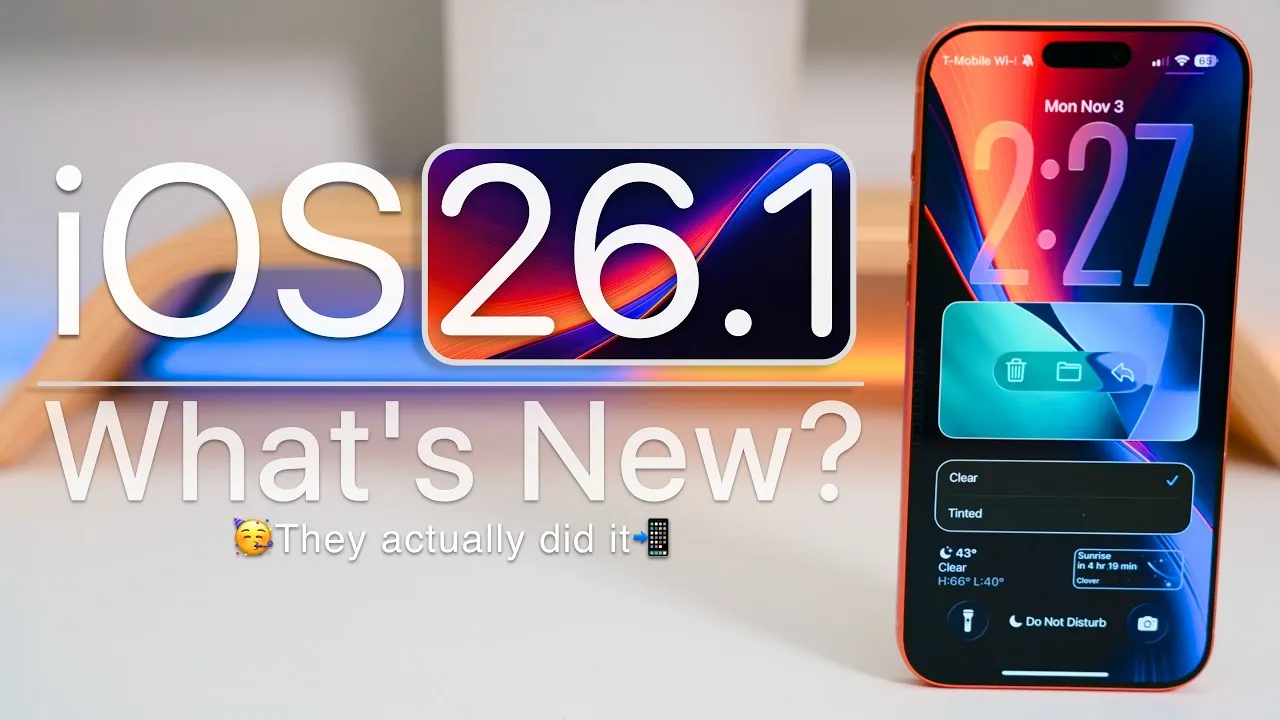
Apple has officially released iOS 26.1, a comprehensive update aimed at enhancing customization, improving performance, and strengthening security. Available globally for all devices running iOS 26, this update incorporates user feedback while introducing a range of refinements. Whether you prioritize personalization, seamless functionality, or robust privacy measures, iOS 26.1 is designed to deliver a more polished and reliable experience. The video below from Zollotech gives us more details on what is included in the latest iOS update.

Key Customization Features
iOS 26.1 introduces several new ways to personalize your device, offering users greater control over their interface. The standout feature is “Liquid Glass”, which allows you to toggle between clear and tinted icons and menus, creating a sleek and modern aesthetic. For those concerned about privacy, the update includes the option to disable the lock screen swipe-to-camera shortcut, a long-requested addition that enhances security. Additionally, a new exclusive wallpaper has been introduced, providing a fresh visual update for both the home and lock screens.
Refined User Interface
Apple has made subtle yet impactful adjustments to the user interface in iOS 26.1, making sure a smoother and more intuitive experience:
- Control Center animations have been refined to feel more fluid and responsive.
- The HDR glow effect in Messages has been toned down, offering a less intrusive visual experience.
- The Clock app now features a dynamic second hand in low power mode and a new slide-to-stop alarm action, with an option to revert to the traditional single tap.
- Menus in apps such as Photos and Notes have been redesigned for improved navigation and usability.
- The Calculator app now includes a history button, allowing you to track previous calculations with ease.
Enhanced Security Features
Security remains a top priority in iOS 26.1, with several new features aimed at protecting user data. The update introduces “Background Security Improvements”, which automatically applies critical security patches between major updates, making sure devices remain protected without requiring manual intervention. For child accounts (ages 13–17), communication safety settings and web content filters are now enabled by default, providing an added layer of protection. These updates reaffirm Apple’s commitment to safeguarding user privacy and data integrity.
Music App Updates
Music lovers will appreciate the enhancements made to the Music app in iOS 26.1:
- The Automix feature now works seamlessly over AirPlay, allowing uninterrupted playlists on external speakers.
- New swipe gestures in the mini-player make it easier to navigate tracks without pausing playback, improving the overall user experience.
Accessibility Improvements
iOS 26.1 introduces several accessibility enhancements, making the platform more inclusive for all users:
- New “Show Borders” and improved “Increase Contrast” settings under Display & Text Size improve visibility for users with visual impairments.
- Single-touch actions for alarms and other UI elements simplify interactions for users with motor challenges, enhancing ease of use.
Fitness and Health Updates
The Fitness app now offers the ability to create custom workout routines, tailored to your specific fitness goals. Whether you’re focusing on strength training, cardio, or flexibility, this feature provides a more personalized approach to tracking and achieving your health objectives.
Language and Translation Enhancements
Language support has been significantly expanded in iOS 26.1. Siri now supports eight additional languages, including Danish, Dutch, and Vietnamese, broadening its global reach. The Translate app has also added new languages, though live translation remains limited to select options. These updates aim to assist better communication for users worldwide.
Performance and Bug Fixes
iOS 26.1 delivers noticeable performance improvements while addressing several bugs:
- FaceTime audio quality has been optimized for low-bandwidth conditions, making sure clearer communication.
- App Library search is now faster, and notifications are more reliable.
- Connectivity issues with CarPlay have been resolved for most users, improving compatibility with vehicles.
- A lock screen wallpaper customization bug has been fixed, enhancing the user experience.
However, minor issues such as wallpaper desaturation and occasional audio gain control glitches persist, though they do not significantly impact overall usability.
Battery and Thermal Management
Battery life and thermal management have seen significant improvements in iOS 26.1. Devices now run cooler during intensive tasks, reducing overheating, while improved energy efficiency results in longer usage times. These updates ensure a smoother and more reliable performance, even under heavy workloads.
Additional Updates
Several smaller but noteworthy changes have been introduced in iOS 26.1:
- A redesigned TV app icon for a refreshed look.
- A red silent mode indicator in settings for better visibility.
- An updated App Store interface featuring blue arrows for easier navigation.
- Prominent external email domain logos in the Mail app improve clarity and organization.
iPadOS-Specific Features
For iPad users, iOS 26.1 reintroduces the “Slide Over” multitasking mode, making it easier to manage windowed apps. This feature is particularly beneficial for productivity tasks that require quick app switching, enhancing the overall multitasking experience.
Known Issues
Despite its many improvements, iOS 26.1 is not without its flaws. The wallpaper desaturation bug remains unresolved, and some users have reported occasional visual glitches and minor audio gain control issues. While these problems are relatively minor, they may affect certain users depending on their specific use cases.
Performance Benchmarks
Benchmark tests for iOS 26.1 reveal improved Geekbench scores, particularly on newer devices. These results highlight Apple’s focus on optimizing the update for both speed and efficiency, making sure a smoother experience across all supported devices.
Here are more detailed guides and articles that you may find helpful on iOS 26.1 features.
Source & Image Credit: zollotech
Filed Under: Apple, Apple iPhone, Gadgets News, Top News
Latest Geeky Gadgets Deals
Disclosure: Some of our articles include affiliate links. If you buy something through one of these links, Geeky Gadgets may earn an affiliate commission. Learn about our Disclosure Policy.