

Smart home platform Homey is expanding beyond phones and tablets, launching a brand-new TV experience for Android TV and LG’s webOS. Designed specifically for large displays and remote control navigation, the update brings a more accessible, at-a-glance way to manage your connected home.
A TV-first smart home experience
Getting started is straightforward. Install the Homey app on your Android TV or webOS device, then sign in by scanning a QR code with your existing Homey account. Within seconds, your smart home controls are optimised for the living room.
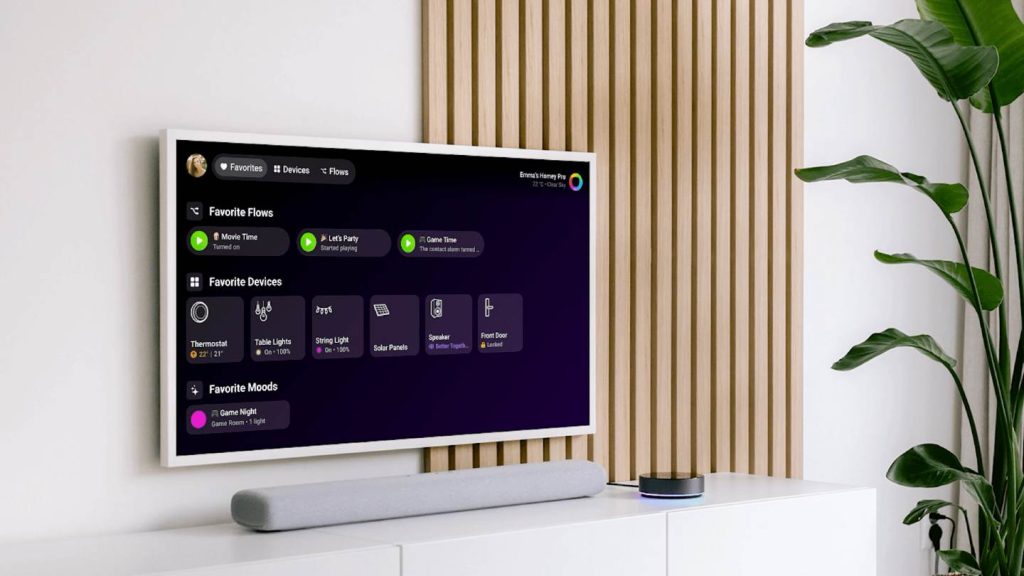
The interface prioritises Favourites, placing your most-used devices, Flows, and Moods front and centre. Whether it’s dimming the lights, triggering a routine, or setting the atmosphere for movie night, everything is just a few clicks away.
For deeper control, the Devices tab provides a complete overview of your setup, while Flows lets you manually trigger automations beyond your pinned favourites.
Browser access — even in your car
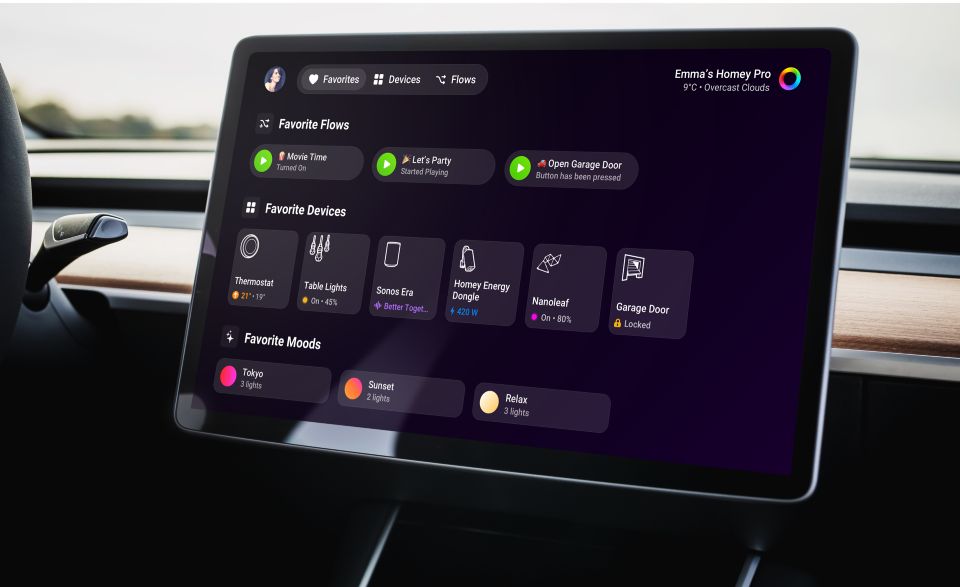
Homey is also rolling out a web-based experience via homey.tv, making it accessible from virtually any browser. That includes unconventional screens like in-car browsers — for example, those found in Tesla vehicles.
It’s a small but practical addition. Opening your garage door or activating a home arrival Flow before you pull into the driveway becomes a seamless, hands-free part of your routine.
Wide compatibility across the Homey ecosystem
The new TV and browser apps work across the full Homey lineup, including Homey Cloud, Homey Pro, Homey Pro Mini, and self-hosted Homey Server setups.
On the TV side, the webOS version supports LG Smart TVs released from 2021 onwards, though availability may vary depending on model and region.
With this release, Homey is clearly leaning into ambient computing — bringing smart home control to wherever it’s most convenient. Whether that’s your living room screen or your car dashboard, managing your home just got a lot more accessible.
Post Views: 6,129