


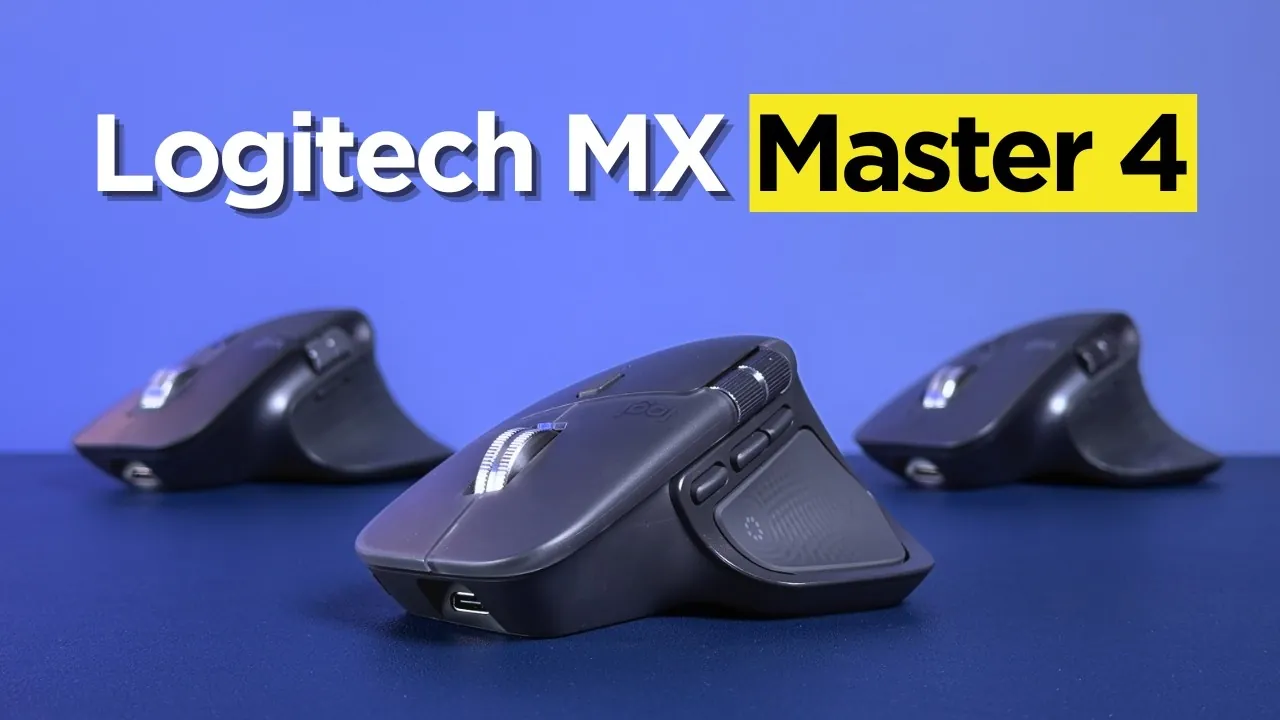
Have you ever wondered what separates a good mouse from a truly exceptional one? For years, the Logitech MX Master series has been the gold standard for professionals, creatives, and multitaskers seeking a tool that doesn’t just keep up but actively enhances their productivity. Now, with the arrival of the Logitech MX Master 4, the stakes are higher than ever. Boasting refined ergonomics, upgraded materials, and innovative features like haptic feedback and an innovative Action Ring, this mouse promises to redefine what a productivity tool can be. But does it live up to the legacy of its predecessors, or are there trade-offs lurking beneath its polished exterior?
In this exploration of the MX Master 4, we’ll uncover how its enhanced durability and customizable controls aim to streamline workflows and elevate your daily tasks. From subtle design tweaks to bold new features like improved wireless connectivity and sustainability-focused repairability, there’s plenty to unpack. Yet, not every change may work in its favor, questions around weight, button placement, and the lack of a wired mode linger. Whether you’re a power user looking to optimize your setup or simply curious about what makes this mouse stand out, the MX Master 4 offers much to consider.
Logitech MX Master 4 Overview
TL;DR Key Takeaways :
- The Logitech MX Master 4 refines its ergonomic design with subtle contour adjustments and improved material durability, though its increased weight may not suit all users.
- Durability enhancements include a textured hard plastic surface and silicon side panels, replacing softer materials for better longevity but altering the tactile experience.
- Wireless connectivity is improved with a new chip and enhanced antenna placement, supporting Bluetooth and USB-C Logi Bolt, though the lack of a wired mode may limit versatility.
- New productivity features include haptic feedback, a customizable Action Ring, improved side scroll wheel, and relocated gesture controls, tailored for professional workflows.
- Logitech emphasizes repairability and sustainability with exposed screws for easier disassembly, aligning with right-to-repair initiatives and reducing electronic waste.
Design and Ergonomics
The MX Master 4 retains the iconic ergonomic design that has become a hallmark of the MX Master series. Subtle contour adjustments aim to enhance comfort during prolonged use, maintaining its reputation as a benchmark for ergonomic excellence. At 150 grams, it is slightly heavier than the MX Master 3S, which weighed 141 grams. This added weight may not suit users who prioritize lightweight devices, particularly for gaming or extended sessions. While the overall shape and feel remain consistent, the slight increase in weight and minor design tweaks may require an adjustment period for those accustomed to previous models.
Material and Build Quality
Durability is a key focus in the MX Master 4. Logitech has replaced the soft-touch coating found in earlier models with a textured hard plastic, which is more resistant to wear and tear. The side panels now feature silicon instead of rubber, a change designed to improve longevity and reduce the likelihood of material degradation over time. These updates enhance the mouse’s durability, but they also alter the tactile experience. Users familiar with the softer materials of previous iterations may notice a difference in how the mouse feels during use. Despite these changes, the overall build quality remains robust, aligning with Logitech’s reputation for premium peripherals.
New Logitech MX Master 4 Mouse Review
Button Placement and Reliability
The MX Master 4 retains the same switches as its predecessor, which have faced some criticism for reliability issues, particularly concerning dust obstruction. While minor design adjustments may mitigate this issue, it remains a potential concern for long-term use. The forward and back buttons have been repositioned due to the relocation of the gesture button, which could impact usability depending on your workflow. For users who rely heavily on these buttons, the new placement may require some adaptation. Despite these changes, the overall button layout remains intuitive, catering to a wide range of productivity tasks.
Connectivity and Wireless Performance
Wireless connectivity sees a notable improvement in the MX Master 4. A new chip and enhanced antenna placement deliver a more stable and reliable connection, supporting both Bluetooth and the USB-C Logi Bolt receiver. However, the mouse does not include a wired mode, which may be a drawback for users who prefer the reliability of a direct connection. While this omission is unlikely to affect most users, it could limit the device’s appeal for those who prioritize versatility in connectivity options. The reliance on USB-C ensures compatibility with modern devices, making it a practical choice for contemporary workflows.

Below are more guides on Logitech devices from our extensive range of articles.
Enhanced Productivity Features
The MX Master 4 introduces several new features designed to streamline workflows and enhance productivity. These include:
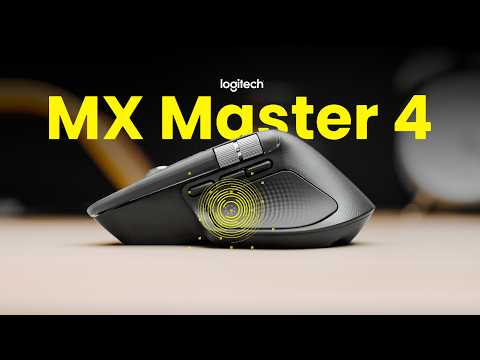
- Haptics: Vibration feedback provides tactile alerts for various functions, such as pairing, low battery, and software integrations like alignment tools in Photoshop.
- Action Ring: A customizable control menu accessible via the thumb rest, allowing users to configure shortcuts and commands through the Logitech Options+ software.
- Side Scroll Wheel: The side scroll wheel offers improved range and acceleration, though its repositioning requires more thumb movement to operate effectively.
- Gesture Controls: The gesture button has been relocated, which may affect how easily users can access forward and back buttons during multitasking.
These features are tailored to professionals and power users, offering tools to optimize workflows. However, their effectiveness will depend on how seamlessly they integrate into your specific tasks and routines.
Repairability and Sustainability
Logitech has made strides in supporting right-to-repair initiatives with the MX Master 4. Exposed screws on the bottom of the mouse make disassembly more straightforward, allowing users to replace components or perform repairs with greater ease. This approach aligns with growing consumer demand for repairable electronics and contributes to the device’s sustainability. By extending the mouse’s lifespan, Logitech addresses concerns about electronic waste, making the MX Master 4 a more environmentally conscious choice.
Accessories and Compatibility
The MX Master 4 includes a USB-C Logi Bolt receiver but does not come with a charging cable. While the reliance on USB-C ensures compatibility with modern devices, the absence of a charging cable could be inconvenient for users who do not already own one. Additionally, the lack of a wired mode may limit its versatility for those who prefer a direct connection. Despite these limitations, the mouse remains a strong contender for professionals seeking a reliable and feature-rich peripheral.
Final Thoughts
The Logitech MX Master 4 delivers meaningful upgrades in durability, wireless performance, and productivity-focused features, making it a compelling choice for professionals and power users. Its ergonomic design, enhanced connectivity, and customizable options cater to a wide range of workflows. However, the increased weight, lack of a wired mode, and potential button reliability concerns may deter some users. Ultimately, the MX Master 4’s suitability will depend on your specific needs and how well its features align with your daily tasks.
Media Credit: Hardware Canucks and Cameron Dougherty
Filed Under: Gadgets News, Hardware
Latest Geeky Gadgets Deals
Disclosure: Some of our articles include affiliate links. If you buy something through one of these links, Geeky Gadgets may earn an affiliate commission. Learn about our Disclosure Policy.