

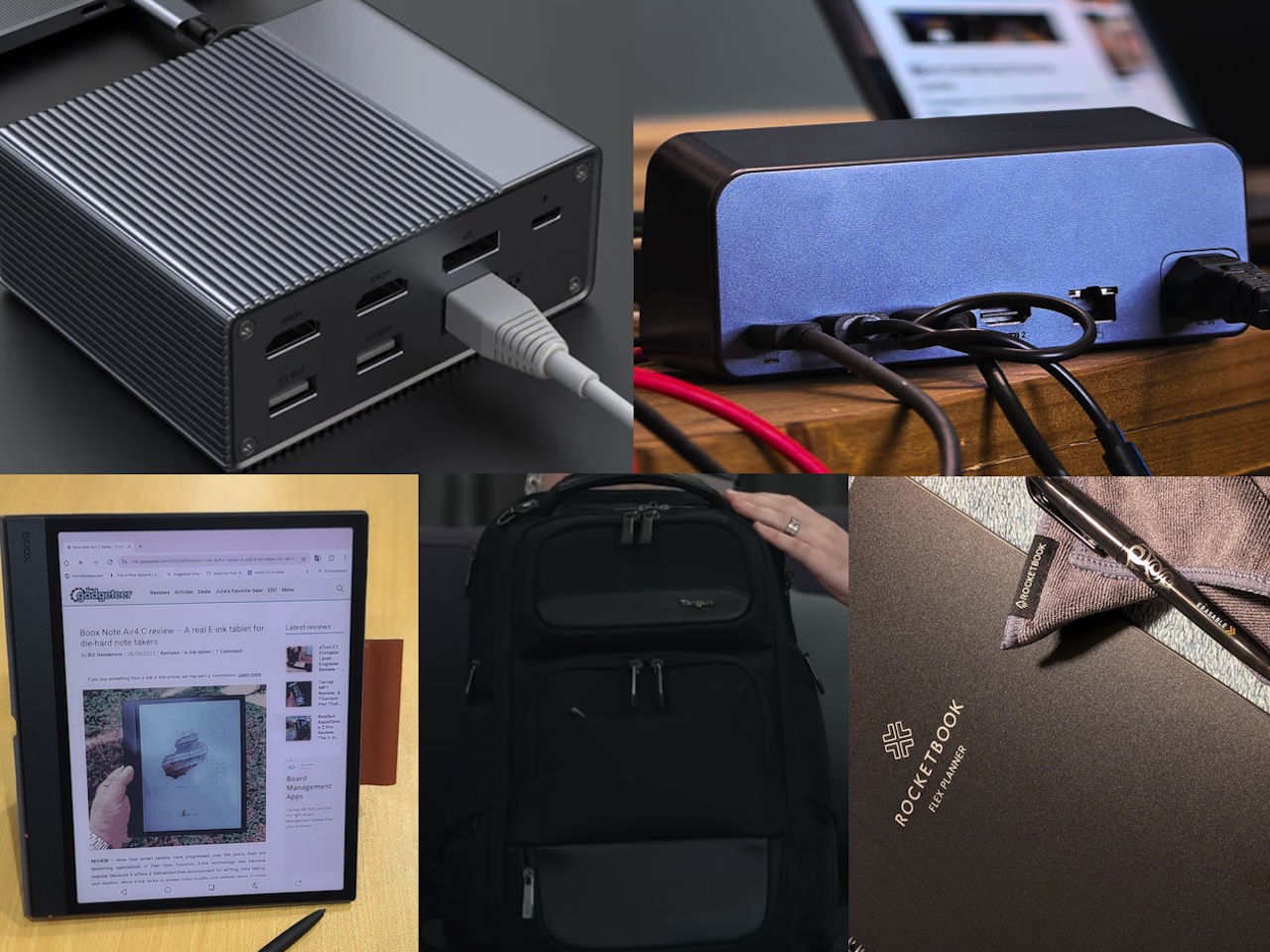
Most people who work in hybrid setups don’t actually struggle with the work itself. What breaks down is the translation layer between how your brain prefers to process information and how your tools force you to store it. Paper feels immediate and natural, right up until you need to reference something from three months ago and you’re flipping through pages hoping you didn’t skip that week or use a different notebook entirely.
Docking stations promise to turn any location into a full workstation, but only if you remember to pack them and only if the monitors at your destination use the same ports yours does. Charging setups multiply until you’re traveling with four different cables and two wall adapters, each one mission-critical for a different device. That friction compounds, and eventually you’re spending more mental energy managing the tools than actually using them. Hybrid work stops feeling flexible and starts feeling like constant context-switching with a side of gear anxiety.
What makes a tool stick isn’t how many features it has or how clever the engineering is. It’s whether the tool disappears into your workflow or constantly reminds you it exists.
Rocketbook Flex Planner

At 8.5 x 11 inches, Rocketbook’s reusable planner sits flat in any bag without the bulk of a bound planner that’ll be obsolete in six months. You write on 48 pages that feel smooth like plastic, because that’s what you’re doing. The pages don’t absorb ink, so strokes dry instantly without smudging. The surface feels slicker than paper but not quite like glass, and takes about ten minutes to adjust to if you’re used to traditional paper. The trade is immediate: no ink bleed, no ghosting, and complete erasability.
Rocketbook’s app scans with your phone camera and automatically routes copies to Drive, Dropbox, Evernote, or whatever cloud service you use. That automatic routing separates this from every other analog-to-digital workflow, because manual export steps never happen. You’ll tell yourself you’ll transfer notes this weekend, and three months later they’re still unsaved in physical form. The Rocketbook Flexbook Planner eliminates that failure mode.
Erasing takes a damp cloth and fifteen seconds. The surface goes blank once dry, with no dust, smudging, or torn corners. That reusability removes friction from revision in a way bound planners can’t match, because permanent notebooks punish you for changing plans. This one expects it. Plans shift constantly when you’re hybrid, and fixed layouts stop working fast. Weekly spreads become irrelevant when meetings move, and rigid structures feel constraining when your schedule never looks the same twice.
Smart symbols at the bottom route scans to preset destinations automatically, so planning, meeting notes, and sketches get filed separately with no menu navigation. Seven daily layouts cover time blocking, task lists, and habit tracking, while two weekly spreads offer horizontal or vertical views. The templates stay functional, not decorative.
At $42.99, this targets people who’ve tried going fully digital for planning and found themselves constantly fighting the interface, but who also can’t justify buying a new paper planner every year that gets tossed once December ends.
Price: $42.99
Where to buy: Amazon, Rocketbook
MOKiN 13-in-1 Docking Station
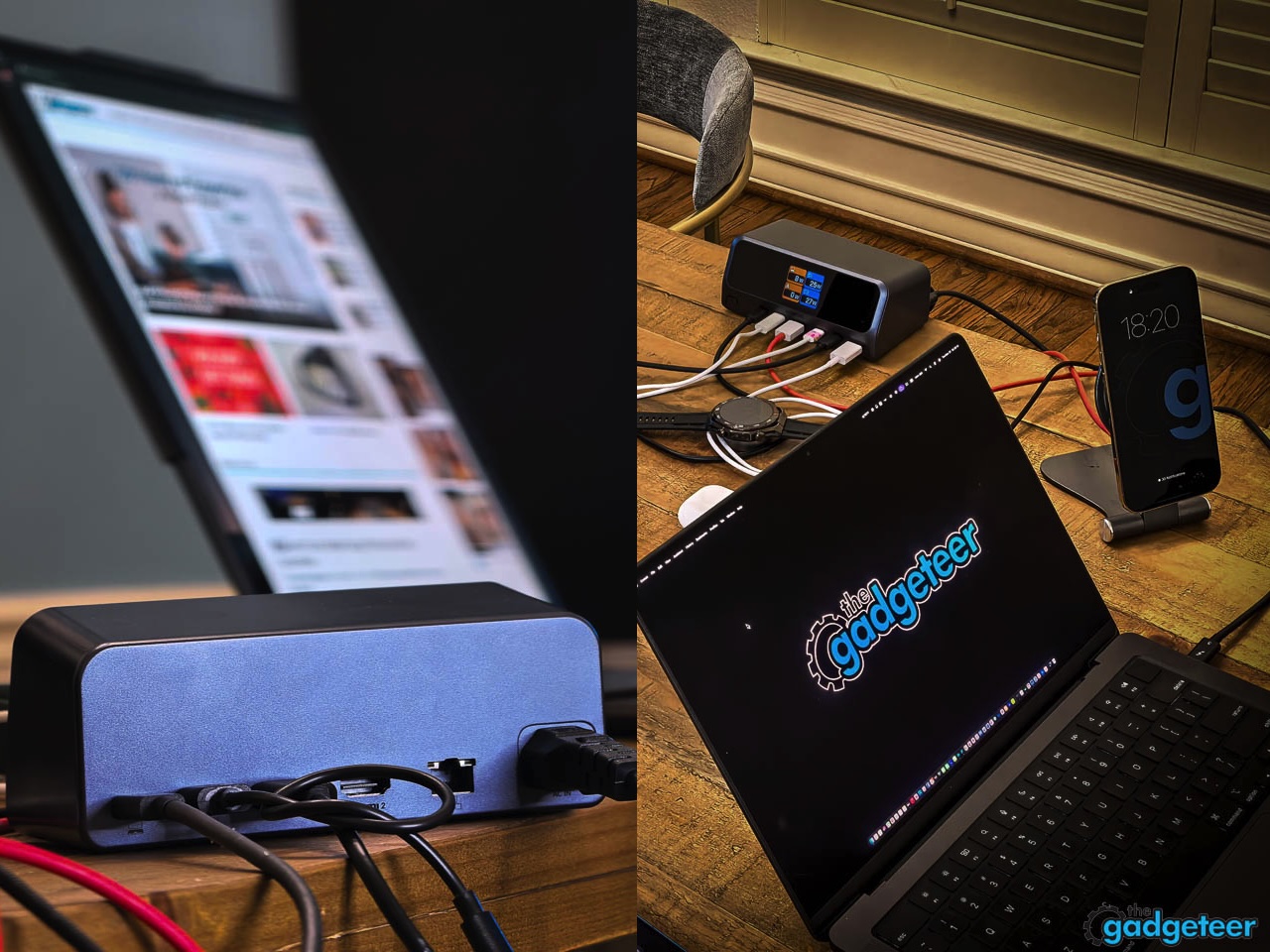
MOKiN’s horizontal docking station takes up roughly the same desk footprint as a coffee mug, which matters more than it sounds when you’re working from temporary setups that don’t have dedicated desk real estate for gear. Two HDMI ports handle dual 4K displays at 60Hz, while two USB-C ports and one USB-A port support 10Gbps data transfer speeds that move 20GB in about 20 seconds when you’re backing up project files or syncing large folders. A 2.26-inch LCD screen on the front shows which ports are currently active, so you know at a glance whether your external drive is connected or if the ethernet port is live without having to check your laptop’s system preferences.
Single-cable connection means you plug one USB-C cable into your laptop and everything else stays connected to the MOKiN 13-in-1 Docking Station, which eliminates the multi-cable setup routine that makes people skip using peripherals entirely when they’re only going to be at a location for a few hours. You notice the difference immediately the first time you pack up to leave, because disconnecting takes two seconds instead of two minutes.
160W output across three USB-C ports at 100W max each and one USB-A at 12W powers your laptop, phone, earbuds, and tablet without hunting for outlets. Gigabit Ethernet handles video calls and large uploads when Wi-Fi fails, which happens fast in crowded coworking spaces. The 80cm cable and magnetic base keep it stable when you’re plugging things in, and aluminum construction survives bag wear better than plastic that cracks after months of use.
Compatibility spans Windows 10 and 11, ChromeOS, and macOS, as long as your laptop supports DP Alt Mode and Power Delivery over USB-C, which most laptops released after 2020 do. If your laptop is older than that, check the specs before buying.
Price: $99.99
Where to buy: Amazon | MOKiN
HyperDrive GEN2 10-in-1 USB-C Dock
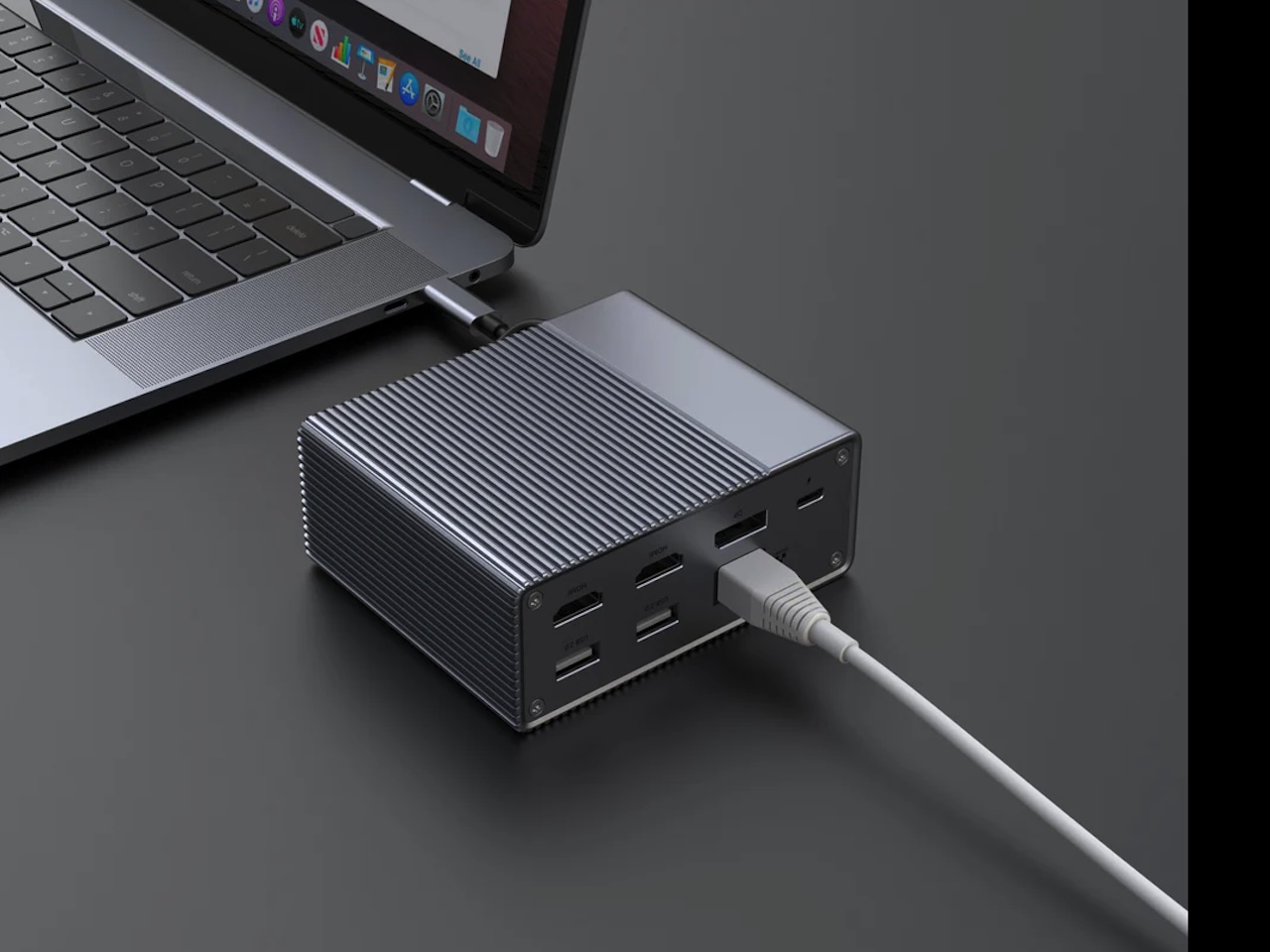 Released in 2020, the HyperDrive GEN2 10-in-1 USB-C Dock is old by tech standards, but the core functionality hasn’t aged out. Compact enough to fit in a laptop bag’s front pocket, this hub packs 10 ports into a slim metallic form factor with ridged heat dissipation that doesn’t add noticeable weight when you’re carrying it daily. Two HDMI ports and one DisplayPort support triple extended displays at 4K 60Hz, which works well for traders watching multiple market feeds, designers referencing mockups while editing in another window, or anyone who finds a single laptop screen limiting when working through complex tasks. That display setup remains relevant six years later, because most hybrid workers still aren’t running more than three monitors simultaneously.
Dual 10Gbps USB-A ports move files fast, and 100W USB-C Power Delivery charges your laptop while peripherals stay connected, so you’re not choosing between power and ports. That consolidates charger and hub into one piece of gear. Gigabit Ethernet handles stability when Wi-Fi fails, and the 3.5mm jack skips Bluetooth entirely. Plug-and-play works across MacBook, PC, and Chromebook without software. At $89.99 (down from $199.99), this undercuts newer docks with similar counts, and the age shows in missing USB4 or HDMI 2.1, but if you’re not pushing 8K, the GEN2 still works.
Price: $149.99
Where to Buy: Hyper
BOOX Note Air5 C
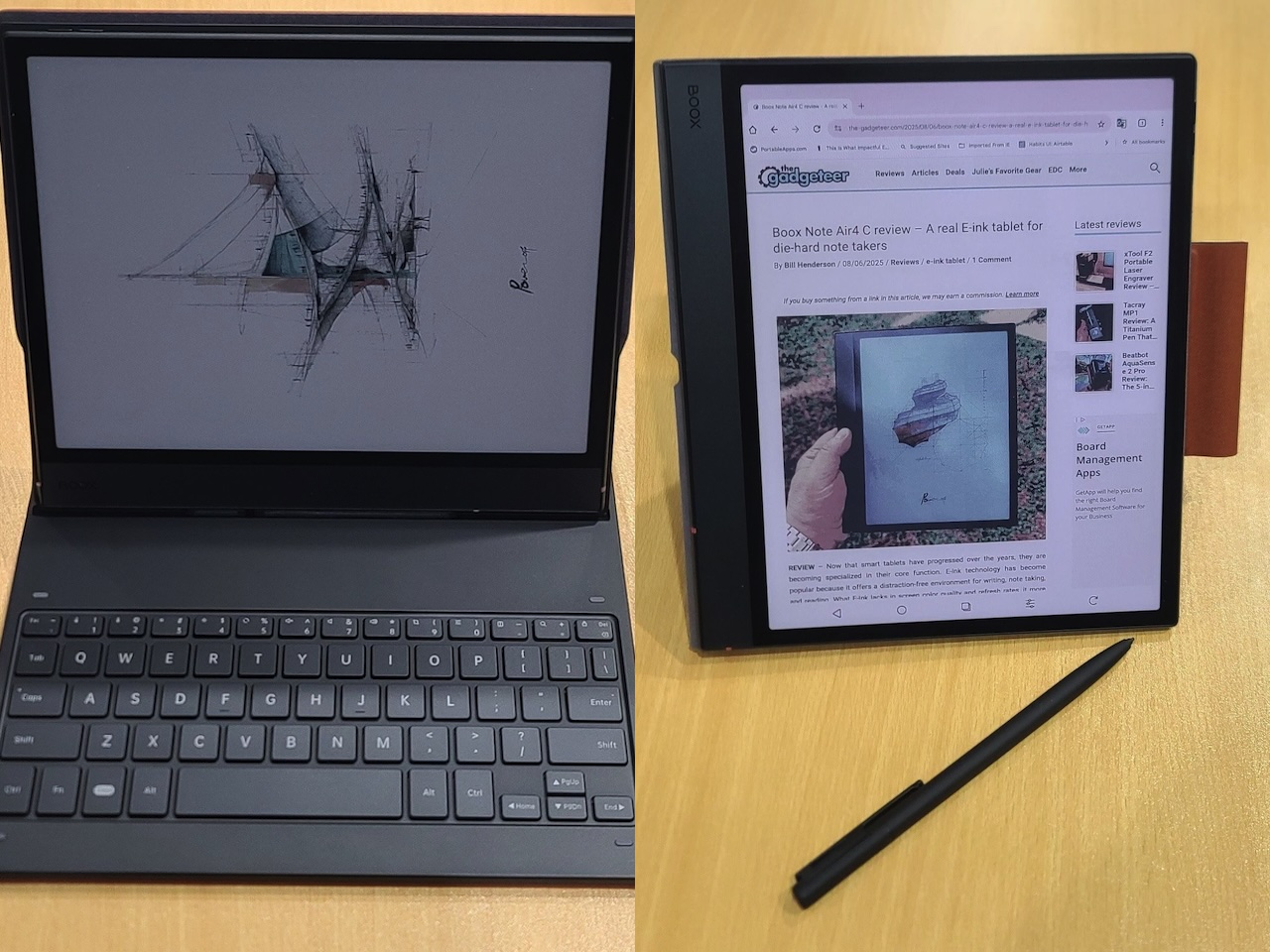 The Boox Note Air5 C Color E-ink Android Tablet uses a 10.3-inch color e-ink display that reads like paper under any lighting but syncs notes to the cloud automatically, which solves the problem tablets create when you’re trying to read long documents without eye strain or take handwritten notes that need to exist digitally later. The screen refresh feels slower than LCD or OLED, but that’s the trade for a display that doesn’t fatigue your eyes after two hours of continuous reading, and if you’re working through dense PDFs or annotating contracts, that trade makes sense.
Handwriting recognition turns pen strokes into searchable text, so meeting notes stay findable without remembering which notebook you used. The Wacom EMR stylus with 4,096 pressure levels responds like pen-on-paper instead of glass, so light annotations stay subtle while heavy strokes stand out, and you’re not fighting the tool to show hierarchy. No charging or batteries eliminates dead-stylus anxiety during back-to-back meetings.
Color e-ink can’t match traditional screens for saturation or refresh speed, but PDFs with charts and highlights stay readable. 6GB RAM handles multiple large files without lag, 64GB storage holds thousands of documents locally, and Android 15 lets you install Kindle, Drive, Dropbox, or productivity apps. E-ink limits animation and video, but most productivity apps work once you accept that smooth scrolling isn’t happening.
Battery life stretches to several weeks with typical use because e-ink only draws power when the screen refreshes, not when displaying static content. That longevity removes charging anxiety when you’re traveling or working remotely for extended periods.
This targets people who read and annotate documents for hours daily and find traditional tablets create eye strain or battery anxiety, but who also need their notes to sync digitally instead of staying trapped in physical notebooks. If you primarily consume video or need fast app switching, standard tablets work better, but for text-heavy work that spans multiple locations, the analog reading experience with digital backend makes more sense than either option alone.
Price: $529.99 (Standard cover) $606.99 (keyboard cover)
Where to buy: Boox, Amazon
Targus Heritage Luxe Backpack
 Targus built this backpack with a dedicated padded compartment for 15-16 inch laptops that keeps your device separated from everything else you’re carrying. That separation matters when you’re tossing notebooks, chargers, water bottles, and pens into the same bag, because you’re not risking a water bottle leak soaking your laptop or a pen cap coming off and marking up the screen.
Pockets sized for cables, drives, and accessories mean you’re not digging through one large compartment when your battery hits 4% at a cafe. External materials survive months of subway rides without showing wear, and the shoulder straps distribute weight so you’re not adjusting or switching shoulders on trains. This stays balanced without pressure points when fully loaded.
Commutes that involve walking several blocks or standing on crowded public transit benefit from bags that don’t dig into your shoulders or feel unbalanced when worn. The design reads professional enough for offices but practical enough for cafes, which means you’re not switching bags depending on where you’re working that day. Capacity fits a laptop, planner or notebook, charger, mouse, external drive, water bottle, and miscellaneous accessories without becoming overstuffed or bulging at the seams. One bag handles both work contexts without looking out of place in either, and that consistency removes one more decision from your morning routine.
Price: $284.99
Where to Buy: Targus
Choosing Tools That Don’t Create New Problems
Hybrid work introduces friction at the boundaries between locations, between analog and digital modes, and between what you need to carry versus what you can actually fit in a bag. Reusable planning that backs up automatically solves the handwriting-versus-searchability tension without forcing you to choose one or the other. Docking stations that consolidate connectivity through a single cable remove setup friction that makes people skip using full workstation setups when they’re only going to be somewhere for a few hours. Wireless charging that travels removes the cable-and-adapter multiplication problem that turns packing into an anxiety-inducing checklist exercise.
Good hybrid tools don’t make you choose between analog thinking and digital convenience, and they don’t introduce new problems while solving old ones. These five understand that distinction.
Love our content?
Sign up for our newsletter today.
No ads, no spam, just links to our latest articles!