

The real problem it solves
Work slows down in small ways. Clicking feels loud. Scrolling feels clunky. Cursor movement feels slightly off. Over hours, those tiny frictions add up. The Logitech MX Master 3S starts with that reality. Professionals spend entire days navigating documents, timelines, spreadsheets, and creative tools. A basic mouse gets the job done, but it never disappears. Logitech built the MX Master 3S to remove that constant resistance. It focuses on speed, silence, and precision rather than gaming flash or RGB distractions. This mouse targets people who live at their desk and want tools that keep up without demanding attention. Comfort, control, and consistency define its value.
Unboxing & first touch
The box feels compact and premium. Inside, you find the MX Master 3S mouse, a USB-C charging cable, a Logi Bolt receiver, and documentation. Lifting the mouse immediately reveals its weight. It feels solid but not heavy. The rubberized coating feels soft and grippy without attracting lint. Buttons click quietly, almost surprisingly so. The scroll wheels turn smoothly with subtle resistance. There’s no cheap plastic smell or flex. First contact signals refinement rather than experimentation. This feels like a finished tool.

Design & interface
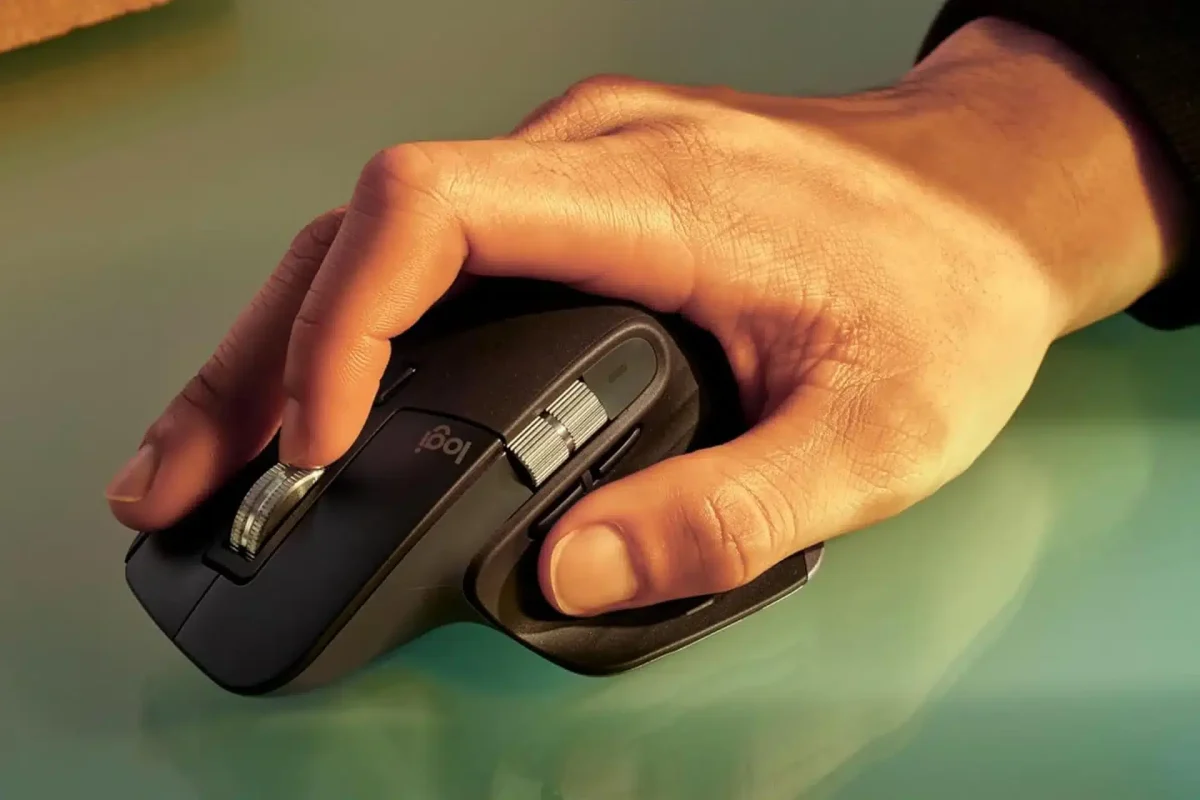
The MX Master 3S uses a sculpted, right-handed design that supports your palm naturally. The thumb rest slopes gently, reducing grip tension. Primary buttons sit at a comfortable angle. A side scroll wheel rests exactly where your thumb expects it. The main scroll wheel uses machined steel, adding weight and precision. Buttons feel tactile but muted, which matters in shared spaces. The design clearly favors long sessions over portability. Everything sits where your hand wants it to be.
Last update on 2026-01-28 / Affiliate links / Images from Amazon Product Advertising API
Connectivity & pairing
The mouse connects via Bluetooth or the included Logi Bolt USB receiver. Pairing takes seconds. You can switch between up to three devices using the button at the bottom. Device switching feels instant and reliable. Connection stability stays strong across laptops and desktops. There’s no noticeable lag during fast cursor movements. The MX Master 3S works smoothly across Windows, macOS, and Linux. This Logitech MX Master 3S benefits from how seamlessly it fits into mixed-device setups.
Hardware deep dive
At the core sits Logitech’s 8,000 DPI sensor designed for precision rather than speed. Tracking stays accurate on almost any surface, including glass. Cursor movement feels smooth and predictable at all sensitivity levels. Click mechanisms reduce noise significantly compared to previous models without sacrificing feedback. Build quality feels consistent across seams and buttons. Nothing rattles. Nothing feels loose. The hardware choices prioritize control and durability over flashy specs.
Sensor, scrolling & performance logic
The standout feature remains MagSpeed scrolling. The wheel shifts automatically between ratcheted scrolling and free-spin mode. You scroll line by line through documents, then fly through long pages with a flick. The transition feels natural and responsive. Horizontal scrolling with the thumb wheel works perfectly for timelines and spreadsheets. Button customization allows app-specific behavior, which speeds workflows dramatically. Failure modes remain rare, usually tied to software profiles rather than hardware issues.
Battery, charging & power behavior
Battery life reaches up to 70 days on a full charge. Real-world use still delivers for several weeks comfortably. USB-C charging feels modern and convenient. A one-minute charge gives several hours of use, which saves you during busy days. The mouse never overheats and never drains unexpectedly. Power management feels predictable and stress-free. You stop thinking about the battery entirely, which is the goal.
The mobile app experience
Logi Options+ controls customization. The app allows per-app button mapping, scroll behavior adjustments, and sensitivity tuning. The interface stays clean and responsive. Profiles switch automatically as you move between apps. Firmware updates install smoothly. Data collection stays minimal and transparent. You don’t need to keep the app open after setup, but power users will appreciate the depth it offers.
Alternatives compared
The MX Anywhere series offers portability but sacrifices ergonomic support. Gaming mice deliver speed but add unnecessary weight and lighting. Apple Magic Mouse looks sleek, but causes wrist strain for many users. Cheaper office mice save money but lack precision and customization. The MX Master 3S stands out by focusing purely on productivity. It doesn’t try to be everything. It tries to be excellent at work.
Who it’s perfect for
This mouse fits designers, developers, writers, analysts, and anyone who spends hours at a desk. It works especially well for multi-monitor setups and creative workflows. Shared offices benefit from the silent clicks.
Who should skip it
Skip this if you want a lightweight gaming mouse or a travel-friendly option. Left-handed users will find limited comfort. Casual users may not need this level of refinement.
Final decision
Buy it if you want speed, comfort, and silence during long workdays.
Skip it if you prioritize portability or gaming performance.
Only if you value workflow efficiency over saving money.
The Logitech MX Master 3S ends with clarity. This mouse removes friction quietly and consistently. Once you use it, basic mice feel immediately slower.