


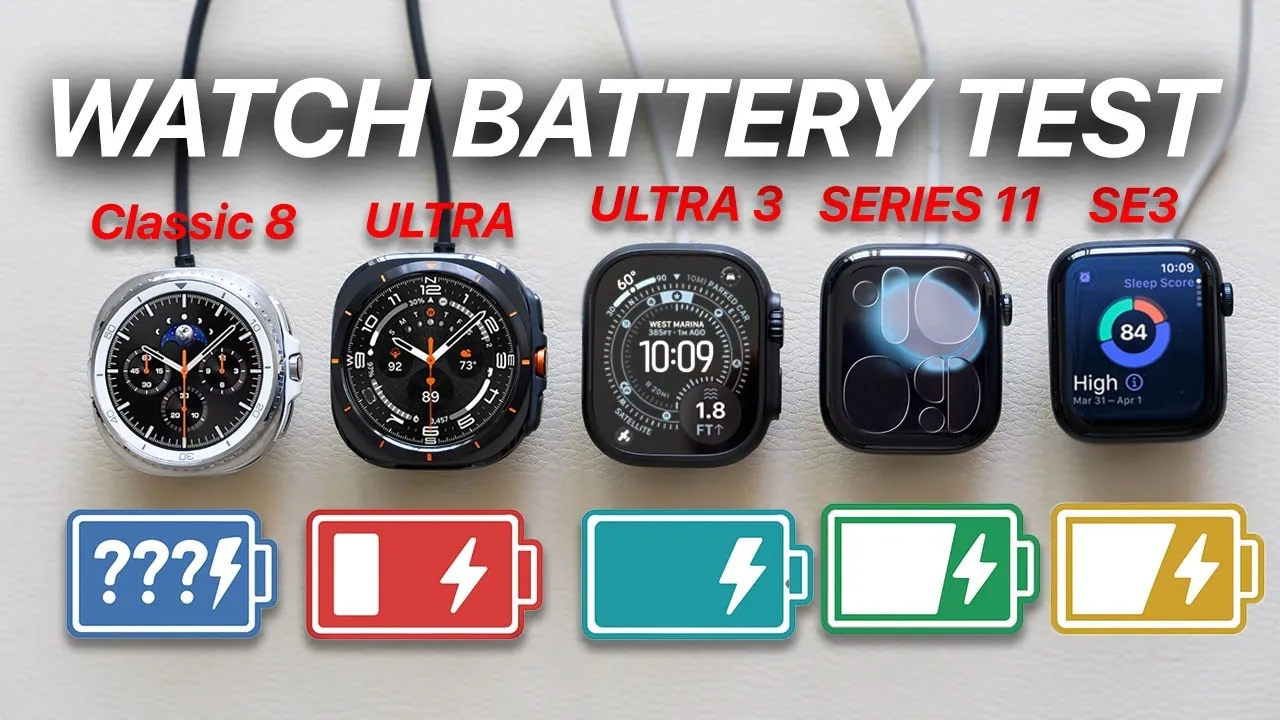
When choosing a smartwatch, battery life is often a critical factor in the decision-making process. The video below from HotshotTek provides a detailed analysis of battery performance across various Apple Watch models and Samsung Galaxy Watches. By examining real-world screen usage under controlled conditions, you’ll gain valuable insights to help you make an informed choice that aligns with your needs and lifestyle.

How the Test Was Conducted
To ensure the results were accurate and comparable, all devices were tested under identical conditions. This standardized approach eliminated variables that could skew the results, focusing solely on battery performance. The following parameters were applied:
- Airplane mode enabled: Wi-Fi, Bluetooth, and cellular connectivity were disabled to isolate battery usage from external factors.
- Screen brightness set to 25%: This ensured consistent energy consumption across all devices.
- Identical watch faces: Uniform watch faces were used to maintain fairness in power consumption.
- Continuous screen-on time: Screens remained active throughout the test to measure how long each device could sustain uninterrupted usage.
- Battery health at 100%: All devices were tested with fully healthy batteries to eliminate variability caused by wear and tear.
This methodology provided a clear and unbiased comparison of how long each smartwatch could last under the same conditions.
Battery Life Results: How Each Model Performed
The test revealed significant differences in battery life across the models tested. Below is a detailed breakdown of the results for each category:
Samsung Galaxy Watches
- Galaxy Classic 8: 4 hours 32 minutes
- Galaxy Ultra: 6 hours 6 minutes
Apple Watch SE Models
- SE 2nd Gen (small case): 8 hours 7 minutes
- SE 2nd Gen (large case): 12 hours 32 minutes
- SE 3rd Gen (small case): 16 hours 1 minute
- Latest SE: 20 hours 7 minutes
Apple Watch Series Models
- Series 6: 13 hours 37 minutes
- Series 7: 13 hours 37 minutes
- Series 8: 15 hours 24 minutes
- Series 9: 15 hours 56 minutes
- Series 10 (small case): 16 hours 34 minutes
- Series 10 (large case): 18 hours 3 minutes
- Series 11 (small case): 16 hours 47 minutes
- Series 11 (large case): 19 hours 50 minutes
Apple Watch Ultra Models
- Ultra 1: 23 hours 32 minutes
- Ultra 2: 30 hours 7 minutes
- Ultra 3: 31 hours 55 minutes
Key Takeaways
The results of this test highlight several important trends in smartwatch battery performance:
- Case size impacts battery life: Larger cases generally accommodate bigger batteries, leading to longer usage times. This trend is evident across both Apple and Samsung models.
- Apple Watch Ultra excels: The Ultra series stands out for its exceptional battery life, with the Ultra 3 lasting nearly 32 hours of continuous screen-on time.
- Samsung Galaxy Watches lag behind: Despite their capabilities, Galaxy Watches fall short in battery performance, with the Galaxy Ultra achieving just over 6 hours of screen-on time.
- Apple’s claims are validated: Newer Apple Watch models, such as the Series 11 and Ultra 3, consistently meet or exceed the company’s “all-day battery” promise.
These findings underscore the advancements in battery technology within Apple’s smartwatch lineup, particularly in comparison to its competitors.
Factors That Impact Battery Life
While this test focused on screen-on time, several other factors can influence how long a smartwatch battery lasts during everyday use. Understanding these variables can help you optimize your device’s performance:
- Always-on display: This feature, while convenient, significantly increases battery consumption. Disabling it can extend battery life considerably.
- Low-power mode: Activating this mode reduces power usage by limiting background activity and dimming the display, making it ideal for long days or travel.
- Software compatibility: Older models, such as the Apple Watch Series 3, were excluded from this test due to their incompatibility with the latest watchOS 26, which can also impact battery efficiency.
By managing these settings and features, you can maximize the battery life of your smartwatch, making sure it meets your daily requirements.
Choosing the Right Smartwatch
This battery test highlights the significant strides made in smartwatch technology, particularly within Apple’s lineup. The Apple Watch Ultra 3 emerges as the clear leader, offering an impressive 31 hours 55 minutes of screen-on time, making it an excellent choice for users who prioritize extended performance. The Series 11 also delivers strong results, providing reliable all-day usage with battery life that exceeds expectations.
In contrast, Samsung Galaxy Watches, while offering a range of features, fall short in battery performance compared to Apple’s models. For users seeking a smartwatch with exceptional battery life, Apple’s offerings, particularly the Ultra series, stand out as the superior choice.
By considering these results alongside your specific needs—whether for fitness tracking, daily convenience, or extended usage—you can confidently select a smartwatch that aligns with your lifestyle and expectations.
Here are more guides from our previous articles and guides related to Apple Watch battery life that you may find helpful.
Source & Image Credit: HotshotTek
Filed Under: Apple, Gadgets News, Top News
Latest Geeky Gadgets Deals
Disclosure: Some of our articles include affiliate links. If you buy something through one of these links, Geeky Gadgets may earn an affiliate commission. Learn about our Disclosure Policy.